HL7 v2 to FHIR: a practical guide to converting real feeds
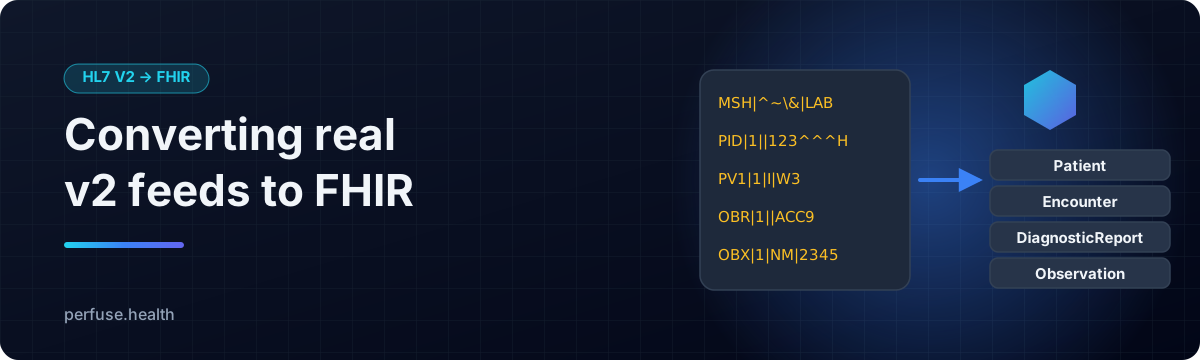
Most clinical data in the US still moves as HL7 v2: admissions as ADT, lab results as ORU, orders as ORM, schedules as SIU. Most new applications, and every API that CMS and ONC now require, expect FHIR. Converting between them is one of the most common jobs in health IT, and one of the easiest to get subtly wrong.
This guide covers what maps to what, the details that matter, and how to do it well.
What maps to what
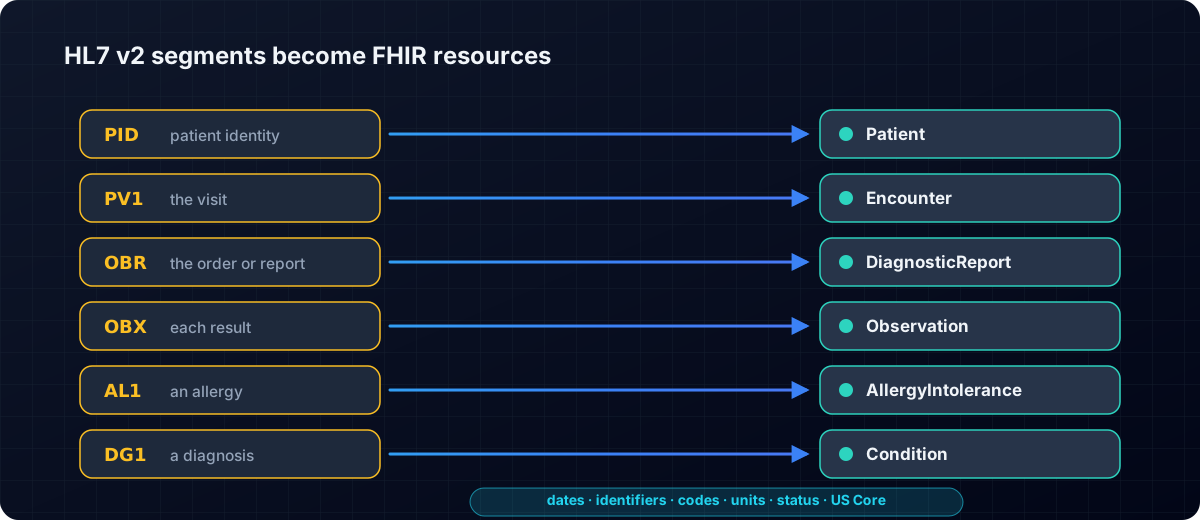
The HL7 v2-to-FHIR implementation guide sets out the standard mappings. The core of them:
| v2 message | Event | FHIR resources |
|---|---|---|
| ADT | admit, transfer, discharge, update | Patient, Encounter, plus allergies, diagnoses and coverage |
| ORU^R01 | lab and observation results | DiagnosticReport, Observation, Specimen |
| ORM / OML | orders | ServiceRequest |
| SIU | scheduling | Appointment |
| MDM | documents and notes | DocumentReference |
| VXU | immunizations | Immunization |
At the segment level: PID becomes Patient, PV1 becomes Encounter, OBR a DiagnosticReport or ServiceRequest, OBX an Observation, AL1 an AllergyIntolerance and DG1 a Condition.
The details that make or break a conversion
Timestamps and time zones. A v2 timestamp often has no time zone offset, while FHIR requires one whenever a time is given. The sender's local zone, usually taken from MSH-7, is the right source. A date-only value should stay date-only.
Identifiers. A medical record number means nothing without its assigning authority. Each identifier needs a proper system URI, so the same patient from two feeds is recognised as one, and an updated message updates a resource rather than creating a duplicate.
Codes and units. Patient class, sex, result status and other v2 tables have defined FHIR equivalents. Units should be labelled UCUM only when they really are UCUM. Structured numeric values such as <5 belong in Quantity.comparator.
Missing data. When a v2 field is empty but FHIR requires the element, the honest answer is a "data absent" marker or an "unknown" code, not an invented default.
Status. An empty result status is not the same as "final", and a deleted result is "entered in error", not "cancelled".
Profiles. In the US, receivers expect US Core. A conversion should claim a profile only when the resource actually meets it.
How Perfuse does it
Perfuse is a free, Apache-2.0 healthcare integration engine with a full HL7 v2 to FHIR mapper built in.
- The mappings above, done properly: ADT to Patient and Encounter, ORU to DiagnosticReport and Observation, SIU to Appointment, MDM to DocumentReference with the note attached, VXU to Immunization, with the date and code conversions handled.
- FHIR R4, R4B and R5 output.
- US Core 9.0.0 for USCDI v6, claimed only after each resource is checked against the profile, and passing the official HL7 validator with no errors.
- Time zones done right: v2 timestamps without an offset take the sender's MSH-7 offset, or a zone you set.
- Identifiers with real systems: map each assigning authority to its URI.
- A mapping report for every message that says what was converted, how, and where the source left a gap, so nothing happens silently.
- Verified against a real HAPI FHIR server, which catches problems a self-test never would.
Use it the way that suits you:
# Convert files from the command line, with a report
perfuse fhir convert -us-core -notes -out bundles/ messages/

# Validate FHIR resources
perfuse fhir validate bundles/*.json- As a channel: an MLLP feed in, a
fhirdestination out, so a live v2 interface delivers straight to any FHIR API. - As a FHIR server: Perfuse's built-in FHIR endpoint can store the result, with search, transactions, subscriptions and bulk export.
- In the browser: the FHIR lab in the web console takes pasted v2 and shows the FHIR it becomes, validated, side by side.
- For public health: the same conversion builds eCR case reports from v2 messages.
And it is part of a complete integration engine: HL7 v2, FHIR, X12, DICOM and CDA, twenty connector types, a durable queue, shadow mode, monitoring and alerts, all in one file with nothing else to install.
Try it in two minutes
- Download Perfuse from the latest release.
- Run
perfuse serveand open http://127.0.0.1:8080. - Open the FHIR lab, paste an HL7 v2 message, and read the FHIR.
Related: CMS-0057-F explained · How to migrate Mirth Connect channels.