Shadow mode: how to change a live interface without guessing
By BioDream Developer, BioDream LLC
Every interface team knows the feeling. A transformation needs to change: a new field mapping, a code translation, a filter rule. The change looks right, and the tests pass. But the feed carries messages nobody has ever catalogued: the patient with two identifiers, the result with an empty units field, the A08 that arrives before its A01. The case that breaks is always the one nobody thought of.
Shadow mode answers the question tests cannot: what will this change do to the traffic that actually arrives?
The idea
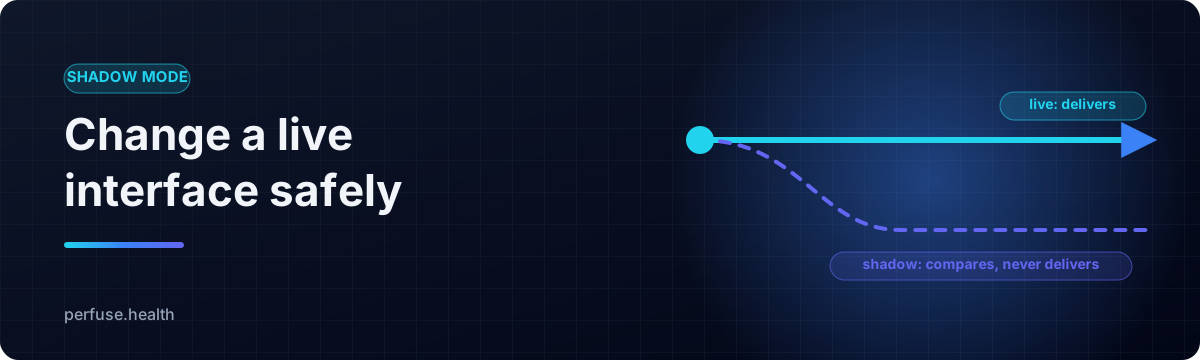
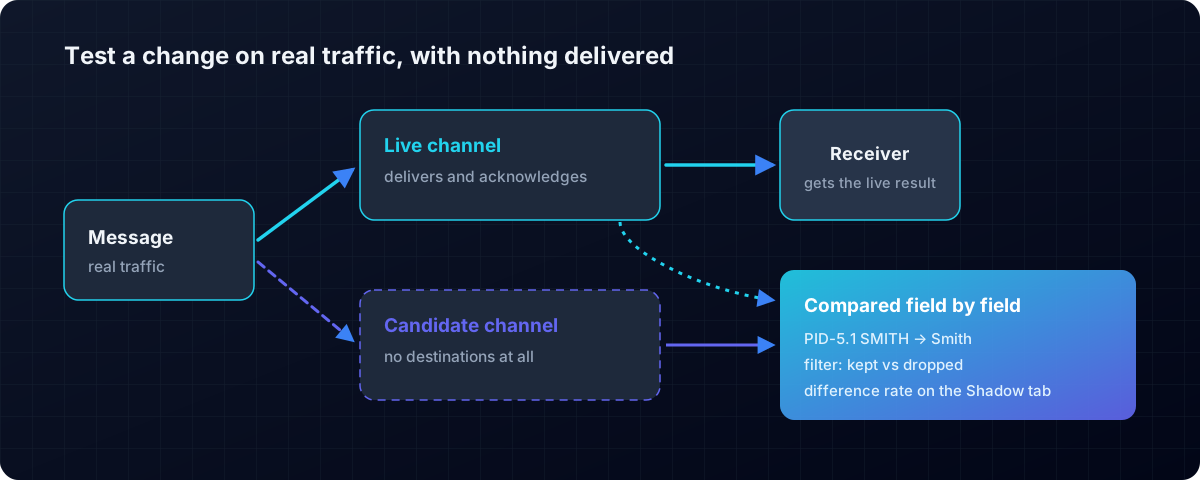
Run the new version of a channel beside the live one, on real traffic, with nothing delivered. Compare the two outputs for every message. Read exactly where they differ, field by field, before the new version ever touches a receiving system.
Tests prove the cases somebody thought of. Shadow mode proves the cases that actually arrive.
How Perfuse does it
Perfuse is a free, Apache-2.0 healthcare integration engine with shadow mode built into every channel.
# in the live channel
shadow:
  channel: ./adt-candidate.yaml
  ignore: [MSH-7, MSH-10]       # things that differ on every message
  sample: 1
  max_differences: 100
It is safe to point at production, by design
- The shadow cannot deliver. Its channel is built with no destinations at all: there is nothing for it to send with.
- The shadow cannot affect the live channel. It runs after the live message has been delivered and acknowledged, with its own timeout, and any error in the candidate is recorded as a candidate failure while the live message carries on.
It reports what matters
- Field by field, at component level. A change to
PID-5.1is reported asPID-5.1, with what each version produced. - Filter disagreements counted separately. When one version keeps a message the other drops, that decides whether a receiving system hears about a patient at all, so it is shown on its own.
- The difference rate on the channel's Shadow tab, with each differing message one click away.
- Expected differences ignored, such as timestamps and control IDs, so the report shows only real changes.
- Honest verdicts. When everything matches, Perfuse says the candidate changed nothing on the traffic seen so far: evidence, plainly stated.
The rest of the safety net
perfuse testruns the cases you write: a message in, the expected message out.perfuse compareproves two whole engines agree over the same traffic, which is how a Mirth migration is checked.- Feed contracts catch the day a sender changes what it sends.
- Channel history from git, so you can see what changed and when.
Shadow mode is part of a complete integration engine: HL7 v2, FHIR, X12, DICOM and CDA over twenty connector types, with a durable queue, monitoring and alerts, in one file with nothing else to install.
Get started
- Download Perfuse from the latest release.
- Copy a live channel to
candidate.yaml, make your change, and add ashadow:block to the live channel. - Watch the Shadow tab. Read the manual for every option.
Related: Feed contracts · How to migrate Mirth Connect channels.
Perfuse on GitHub
Perfuse is free and open source under Apache 2.0. The source, every release, the issue tracker and the full documentation are on GitHub: github.com/biodream-llc/perfuse.
- Download the latest release for Linux, macOS or Windows
- Read the source
- Report an issue or ask a question