Perfuse
Exchange
Reporting, national exchange, apps and images
Beyond the hospital's own interfaces, data has to reach public health agencies, other organisations across the country, patients' apps and imaging archives. Each has its own rules. Perfuse follows them.
Public health reporting
Reports that go because a code matched
What it is
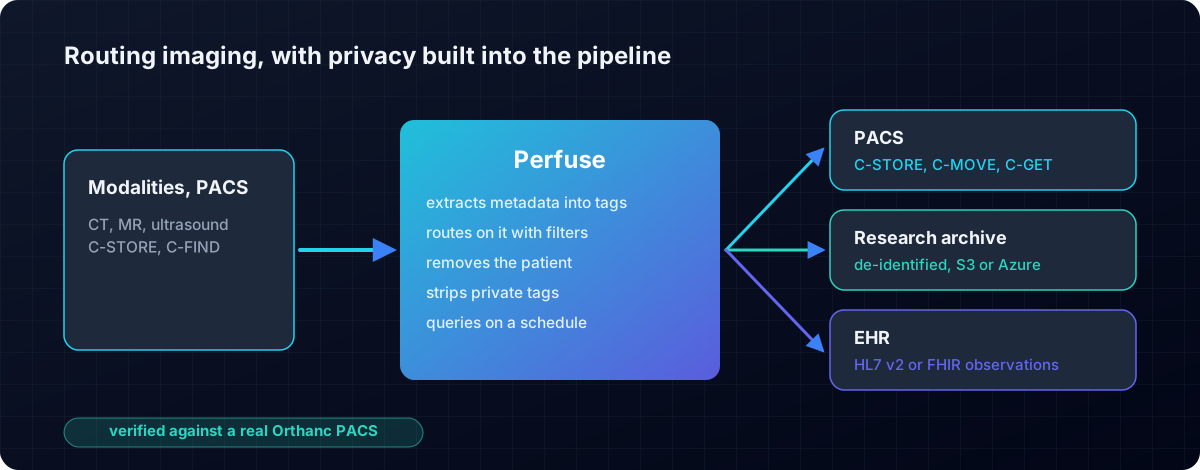
Electronic case reporting (eCR) tells the health department about a reportable condition. Electronic lab reporting (ELR) sends it the lab results it must see.
Why it exists
Outbreaks are found from these reports. Sent by hand, they arrive late or not at all.
How you use it
Load the trigger code list, add an eCR or ELR destination to a channel, and only the messages that should be reported are sent. The agency's answer is stored with the report.
- HL7 eCR 2.1.2 eICR documents, validated with the HL7 validator
- Reportability Responses received and stored where the report said to look
- ELR 2.5.1: ONC's ELR certification tool reports all 28 of its example messages valid
TEFCA and UDAP
Records from organisations you have never connected to
What it is
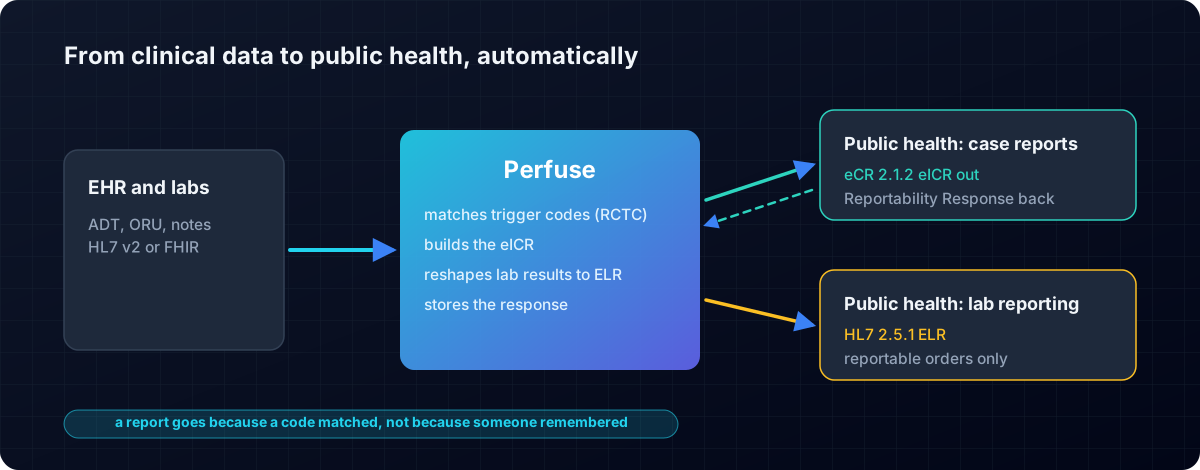
TEFCA is the US national framework for exchanging health records. UDAP is how two systems that have never met prove who they are, with certificates from a trust community.
Why it exists
A patient treated in another state should not have to carry their records by hand.
How you use it
Register with your network's trust community, give Perfuse its certificate, and request or answer Facilitated FHIR exchanges. Every exchange is written to disk for audit.
SMART on FHIR
Let apps in, safely
What it is
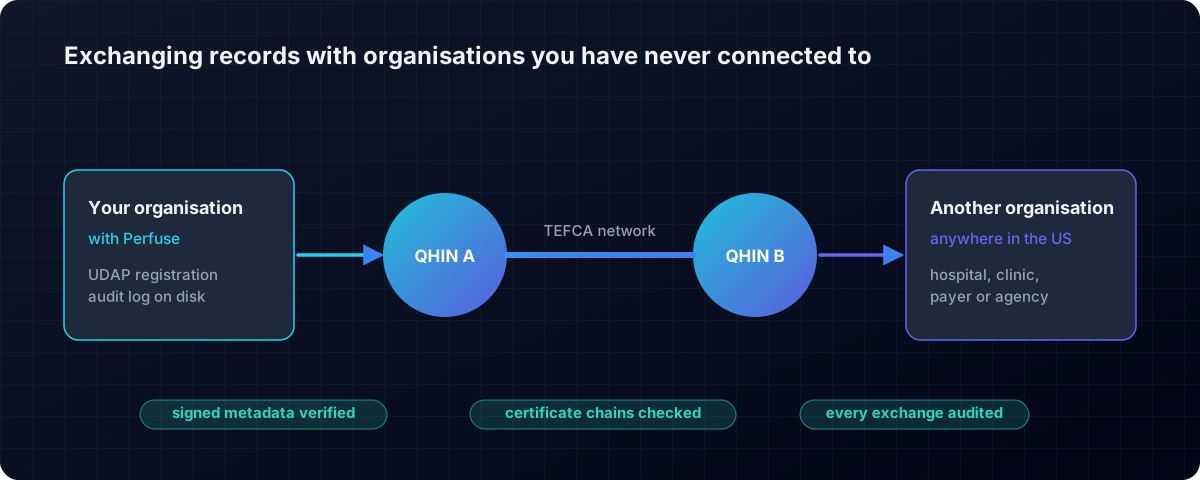
SMART on FHIR is how an app asks a patient or clinician to sign in and gets only the access they agree to.
Why it exists
CMS requires patient apps to be able to reach health plan data. Each app must get exactly the access granted, and no more.
How you use it
Register the app in the console under Users, SMART apps. Perfuse is the sign-in server and the data server, so there is nothing else to run.
- Standalone and EHR launch, PKCE, consent, refresh tokens and Backend Services
- Granular scopes enforced, for example only lab results
- Inferno SMART App Launch 2.2: 80 of 80
Imaging
Images routed, and stripped of names where they must be
What it is
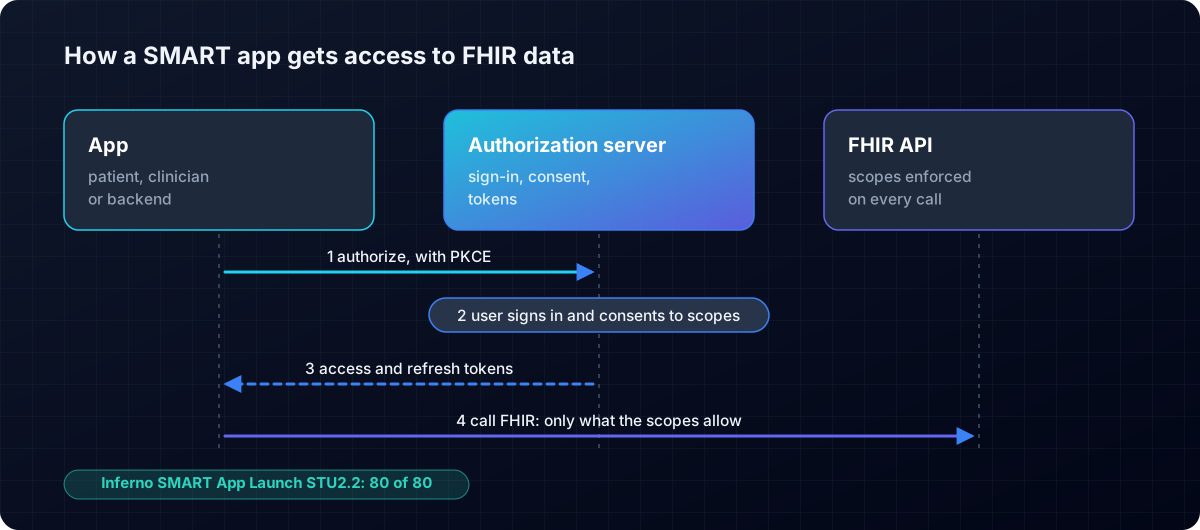
DICOM is the standard for medical images and the network services that move them between scanners and archives.
Why it exists
Images go to many places: the archive, a specialist, a research team. Some must never carry the patient's name.
How you use it
Make a channel with a DICOM source, add a de-identification step, and send to one or more archives or onward as HL7 or FHIR.
- C-STORE, C-FIND, C-ECHO, C-MOVE and C-GET, in both directions
- Tested against the Orthanc archive, checked in Orthanc's own catalogue