 Perfuse
Platform
An engine, a builder and a control room, in one program
Hospitals run dozens of systems that each speak their own dialect. An integration engine sits in the middle and translates. This page explains each part of Perfuse: what it is, why it exists, and how you use it.
The integration engine
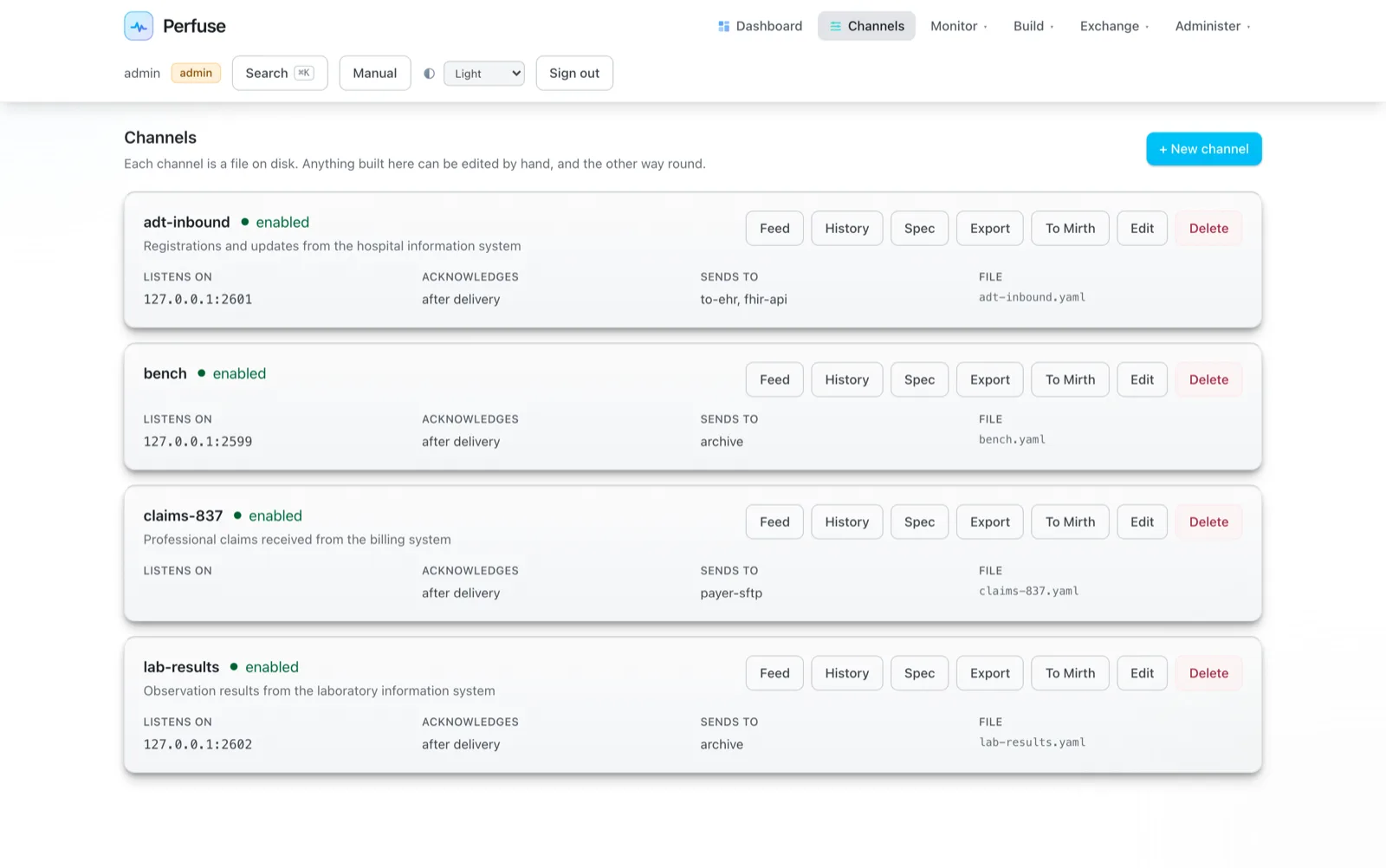
Channels: one job each, done reliably
What it is
A channel is one interface: "take admissions from the hospital system and send them to the lab". It receives a message, checks it, changes it if needed, and delivers it to one or more places.
Why it exists
Without an engine every pair of systems needs its own custom link. With twenty systems that is hundreds of links, each failing in its own way at three in the morning.
How you use it
Pick where messages come from, where they go, and what should change on the way, in the browser or in a short text file. Perfuse does the rest and keeps a record.
- Every destination has its own queue on disk, so one slow receiver never holds up the others
- Messages are delivered in order, and retried with back-off, and a message that cannot be delivered is kept, never deleted
- The sender is told "received" only after delivery, unless you choose otherwise
- Every message is stored as it arrived, so it can be searched, compared and sent again
Channel builder
Build interfaces by answering questions
What it is
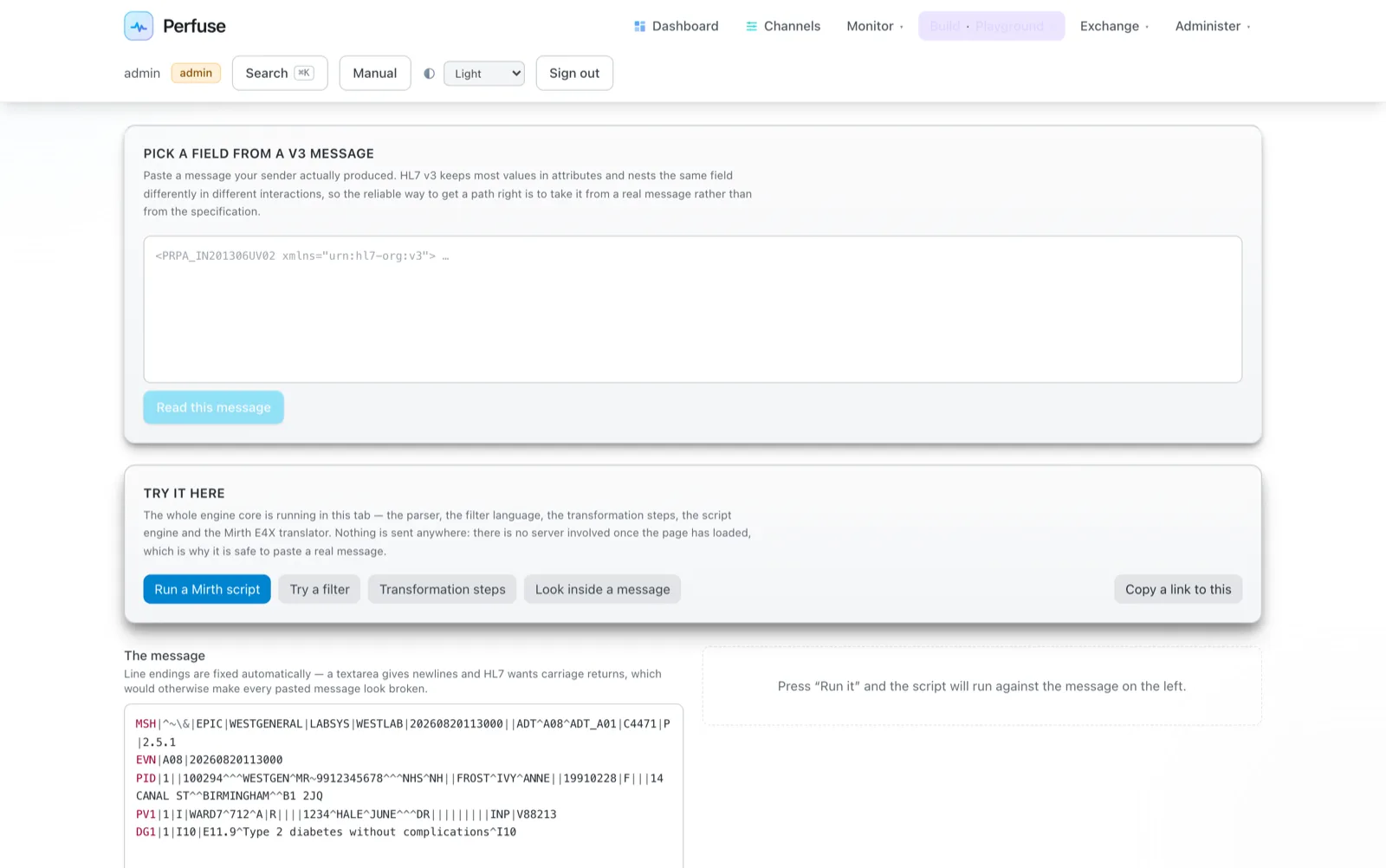
A guided form in the console. It asks where messages come from in plain words ("A sender connects to us over MLLP", "We read from an IBM MQ queue") and only shows the settings that apply.
Why it exists
Most interface changes are small: a new field, a code mapped differently, a second destination. They should not need a programmer.
How you use it
Open Channels, choose New, answer the questions, try it in the playground, then save. The result is a readable file you can keep in Git.
- Eleven declarative steps: set, copy, remove, clear, default, case, date, pad, trim, replace and map, each with an optional condition
- Shared mapping tables, with a record of who decided each mapping and why
- JavaScript, including Mirth's dialect, or sandboxed Lua, when a step is not enough
- Fields shown by name ("the patient's family name"), not only by position (PID-5.1)
Monitoring and alerts
A control room for every interface
What it is
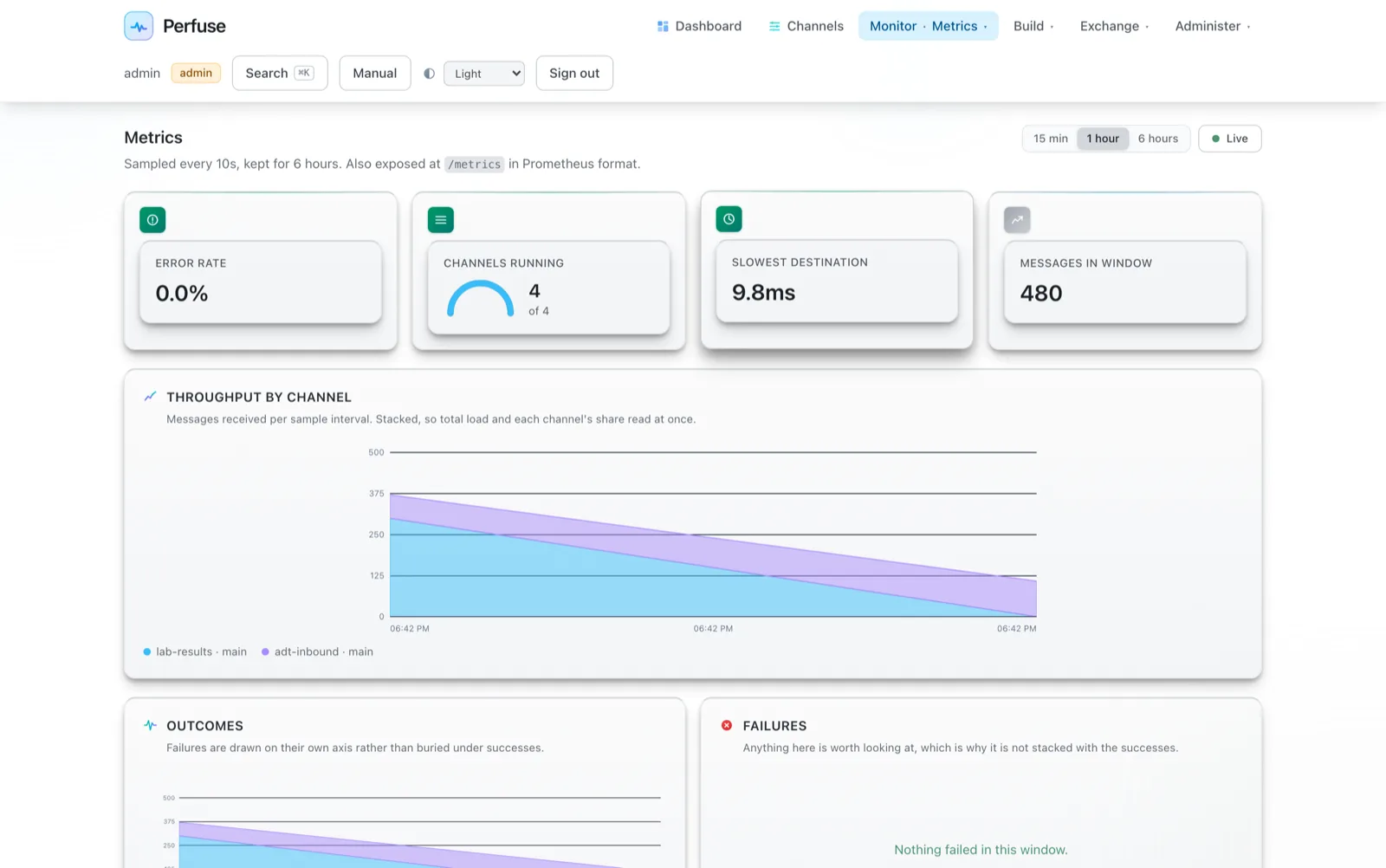
A live dashboard, a flow map, metrics, team dashboards and alerts, built into the console.
Why it exists
Most interface outages are noticed by a nurse or a billing clerk, hours late. An engine should notice first and say so.
How you use it
Open the dashboard. Set alert rules once (error rate, no traffic, queue age and more), and send them to email, chat or your paging system.
- Eleven alert kinds, including "quieter than usual", which catches a half-broken sender a fixed threshold misses
- Team dashboards for operations, partner connections, prior authorization, imaging, revenue cycle, lab and privacy
- Metrics for Prometheus and Grafana, and tracing over OpenTelemetry
- A fleet view across several Perfuse servers, sharing counts only, never patient data
Changing live interfaces
Change a working interface without guessing
What it is
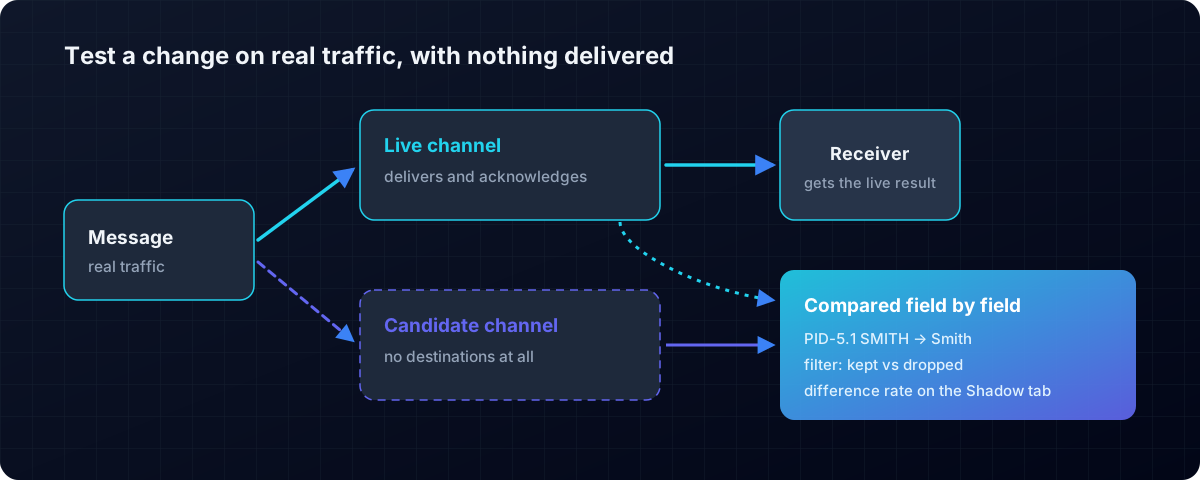
Shadow mode runs a new version of a channel beside the live one on real traffic, delivering nothing, and shows field by field where the two differ.
Why it exists
Test messages never contain the odd cases real traffic does. The only safe test of a change is the real feed, without the risk.
How you use it
Start a shadow from the channel's page, let it run for a day, and read the differences. When there are none you did not intend, promote it.
- Feed contracts: write down what a feed should contain and be told the day a sender changes it
perfuse profilereports what a feed really containsperfuse compareproves two engines agree on the same traffic- Channel history read from Git: what changed, when, and by whom
Security and sign-on
Built for patient data from the first line
Health data is the most sensitive data most organisations hold. Perfuse refuses to serve it over plain HTTP to anything but the machine itself, and records who looked at what.
Single sign-on
SAML 2.0, OpenID Connect and LDAP or Active Directory, tested against Keycloak and Microsoft Entra. Configure SAML by pasting your provider's metadata.
Passkeys
Sign in with a fingerprint, a face or a security key: nothing a fake login page can capture.
Roles and audit
Viewer, editor and admin roles, API tokens for machines, and an audit log of every change and every patient search.
Privacy monitoring
Access is watched for volume, after-hours and bulk access, and sign-in attempts are rate-limited.
Provisioning
SCIM 2.0, so your identity provider creates and removes accounts by itself.
Mutual TLS
Certificates both ways on any connection, checked against OpenSSL rather than against our own client.
Running it
One file, every platform
What it is
Perfuse is a single program of about 60 MB with the web console inside it. There is no Java to install and no application server.
Why it exists
The fewer moving parts an engine has, the fewer things break during an upgrade, and the smaller the machine it needs.
How you use it
Download it, run perfuse serve, open the console. perfuse init
installs it as a service on Linux, macOS or Windows.
- Linux, macOS and Windows, on Intel and Arm, plus a container image
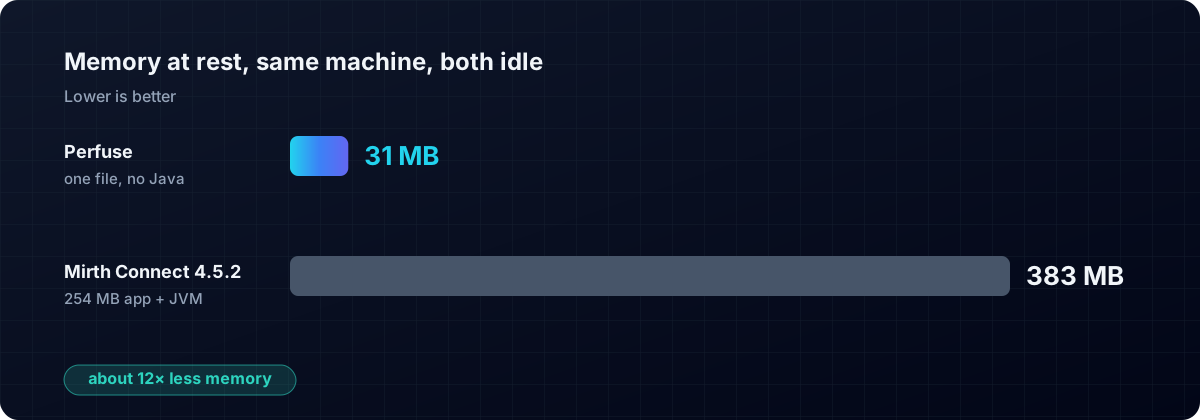
- 31 MB of memory at rest, against Mirth Connect's 383 MB
- Several organisations on one engine, isolated from each other (multi-tenant)
- Also a Go library, for teams who want HL7 parsing in their own programs
See it for yourself
Download Perfuse and build your first channel in the browser, or read the manual first.